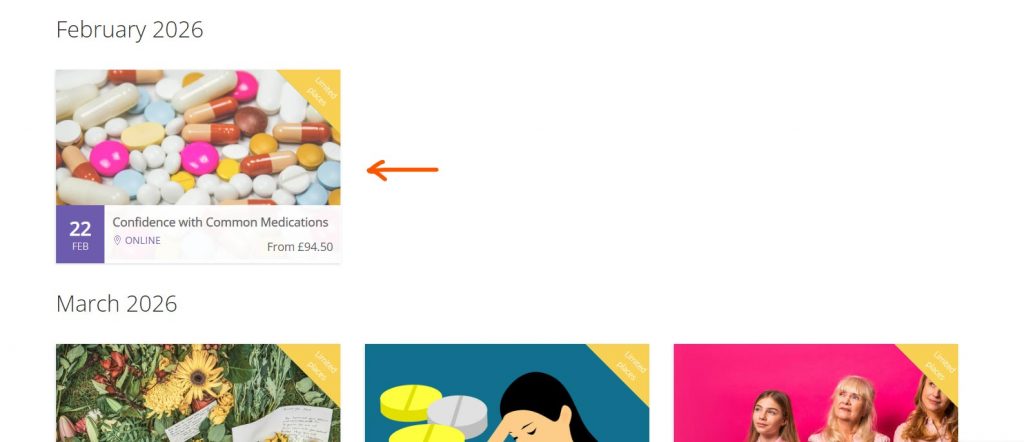

1 – Go to https://www.cpht.co.uk/training-courses/continued-professional-development/ and hover over the CPD of your choice.
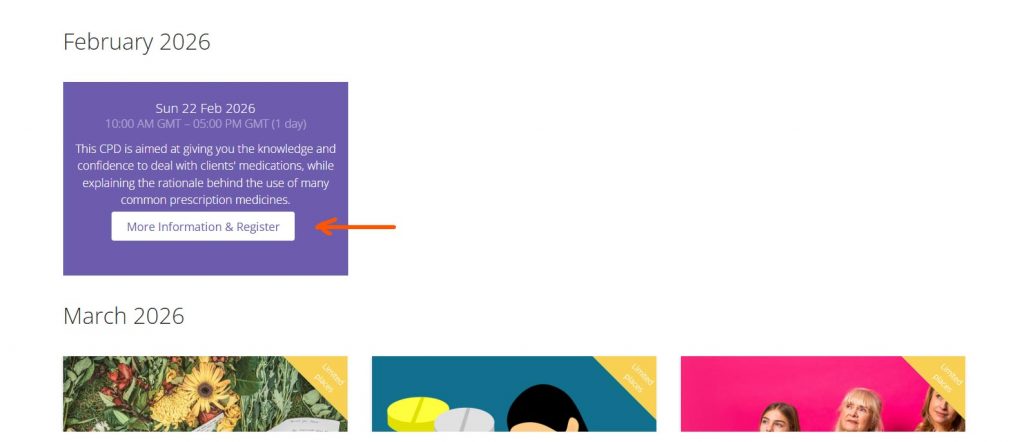
2 – Click the “More Information & Register” button.
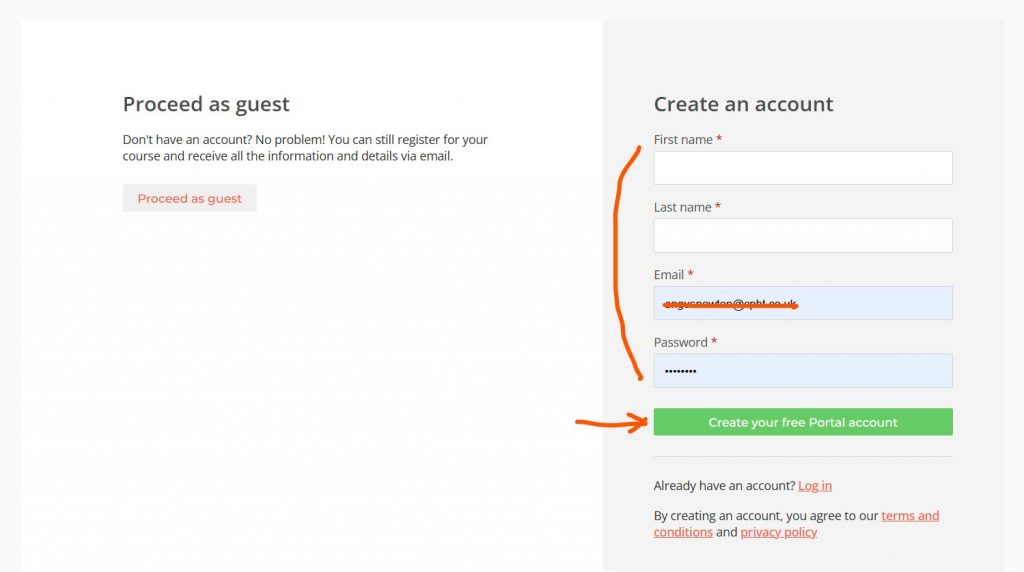
3 – Fill in your details on the right hand side where it says “Create an account” and click the green “Create your free Portal account” button.
If you already have created your Portal account click “Log in”.
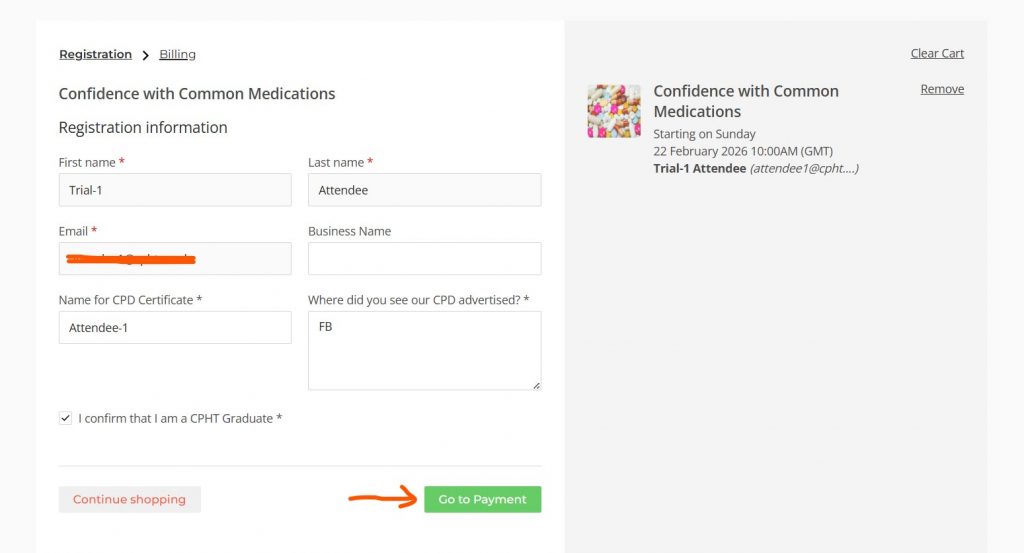
4 – Fill in the Registration form with your details and click “Go to Payment”.
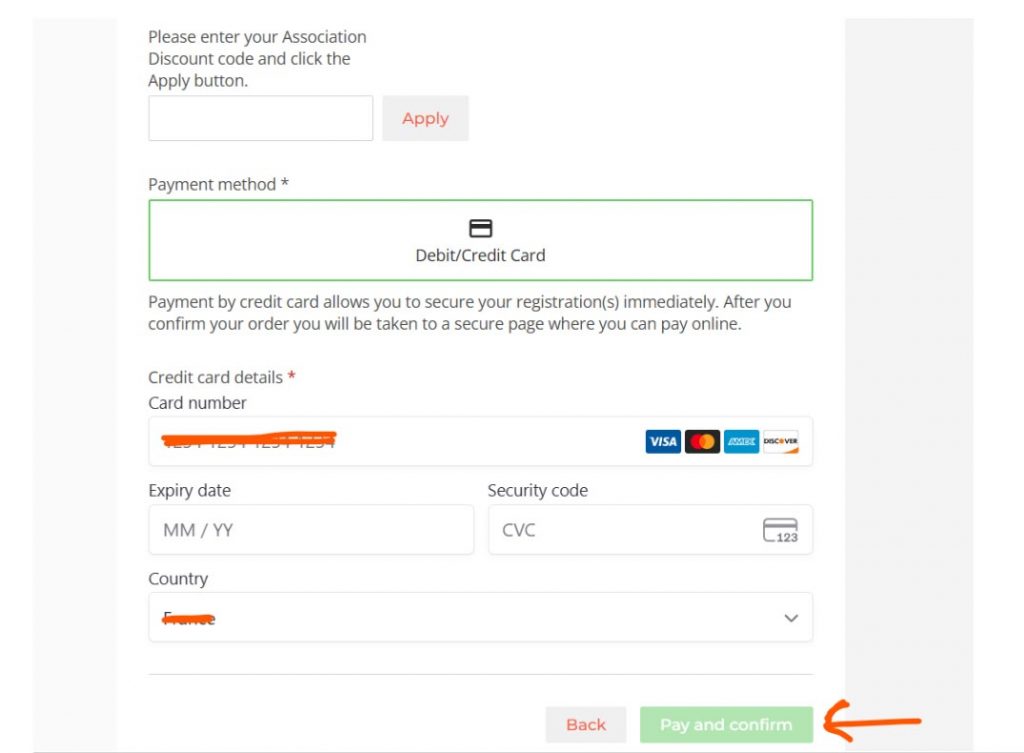
5 – Fill in the necessary fields in the Billing form with your details.
If you are a member of the AfSFH enter the 10% Discount code – please click here to view this code.
Next enter your Card details and click “Pay and confirm”.
6 – This will take you to a screen confirming your order.
| Cookie | Duration | Description |
|---|---|---|
| cookielawinfo-checkbox-analytics | 11 months | This cookie is set by GDPR Cookie Consent plugin. The cookie is used to store the user consent for the cookies in the category "Analytics". |
| cookielawinfo-checkbox-functional | 11 months | The cookie is set by GDPR cookie consent to record the user consent for the cookies in the category "Functional". |
| cookielawinfo-checkbox-necessary | 11 months | This cookie is set by GDPR Cookie Consent plugin. The cookies is used to store the user consent for the cookies in the category "Necessary". |
| cookielawinfo-checkbox-others | 11 months | This cookie is set by GDPR Cookie Consent plugin. The cookie is used to store the user consent for the cookies in the category "Other. |
| cookielawinfo-checkbox-performance | 11 months | This cookie is set by GDPR Cookie Consent plugin. The cookie is used to store the user consent for the cookies in the category "Performance". |
| viewed_cookie_policy | 11 months | The cookie is set by the GDPR Cookie Consent plugin and is used to store whether or not user has consented to the use of cookies. It does not store any personal data. |
Sign up to our monthly Newsletter and receive a copy of our 2026 Prospectus, which covers our Solution Focused approach and cutting-edge curriculum, and how we support you every step of the way!